Fuel Cart
Your Fuel Cart is empty
Browse the Fuel ShopYour Fuel start guide
Three screens you use every day: chat, your leads and your tasks. One page.
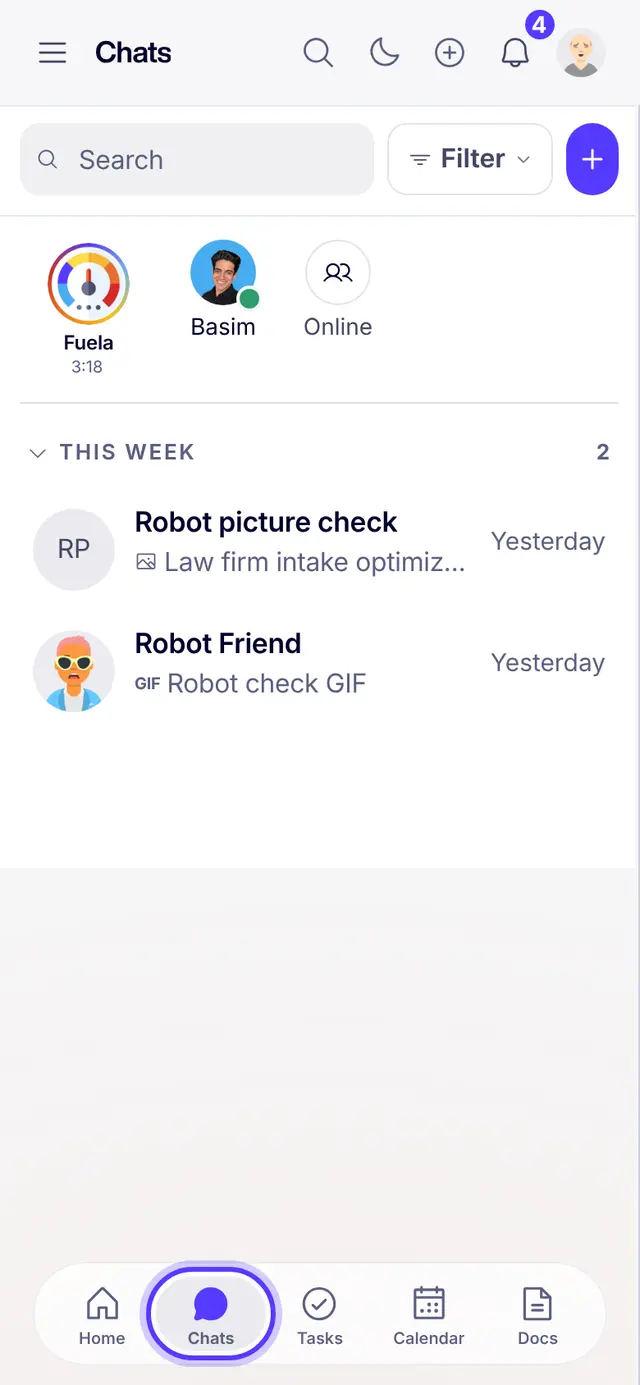
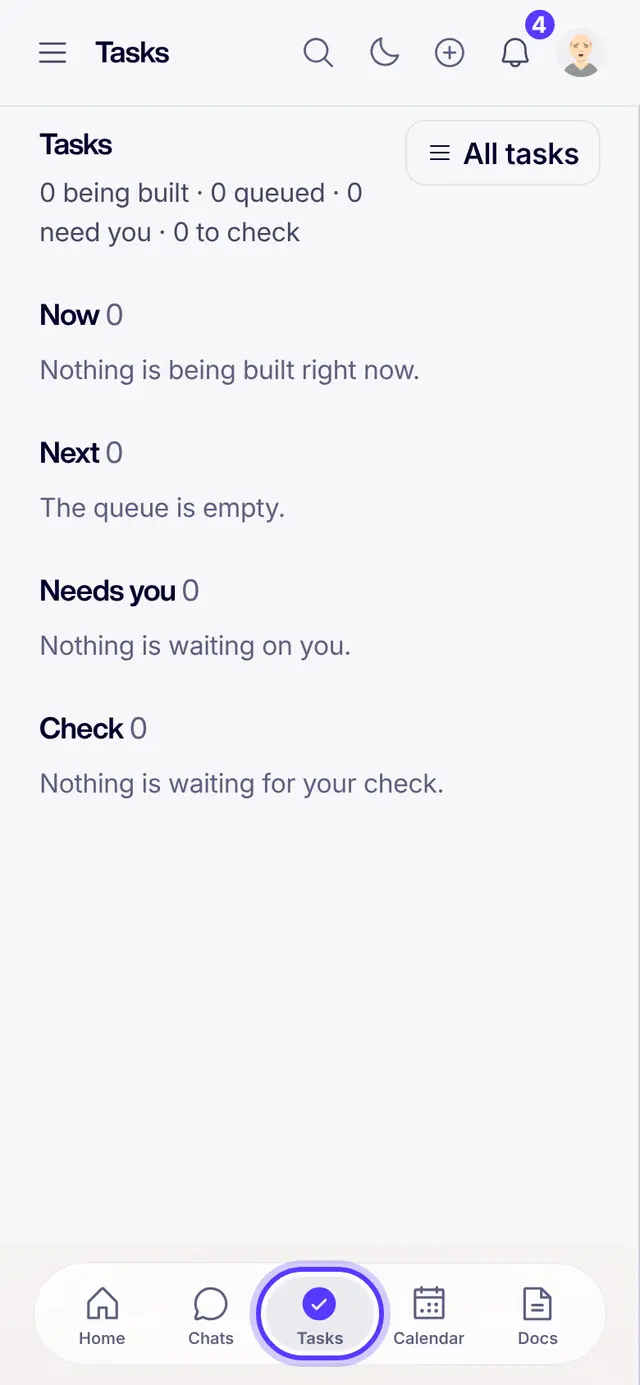
Chat, leads, tasks. Tap the circled spot on each one.
- ChatTap Chats in the bottom bar. Fuela is the first circle at the top. Ask it for anything. Open Chats
- Your leadsEvery Fuel Launchpad lead and sale for your team is on one page. Write one next step, with a day, on each lead. Open Launchpad leads
- Your tasksTap Tasks in the bottom bar. Anything you promise in a chat lives here, so it never gets lost. Open Tasks
Part of Fuel, a whole life OS for your work and your day. Read the overview.
Related articles
- Lesson 1 of 5: Chat and tasksTalk in a chat, turn a promise into a task. Three minutes.
- Lesson 2 of 5: Leads and dealsSee every lead, keep one next step on each. Four minutes.
- Getting started in FuelSign in, get the real app, find your chats, meet Fuela and connect your socials. About five minutes.
- Ask Fuela for anythingType or talk. Fuela makes the task, writes the message and finds the answer.
Not what you needed? Ask Fuela any hour, or search the library.