Fuel Cart
Your Fuel Cart is empty
Browse the Fuel ShopConnect Claude or ChatGPT to Insert Fuel
Add the Insert Fuel connector: paste https://insertfuel.com/claude into Claude, or https://insertfuel.com/chatgpt into ChatGPT.
Your AI can read your tasks, notes, playbooks and prompts. Your connection link is https://insertfuel.com/claude for Claude and https://insertfuel.com/chatgpt for ChatGPT; open either in a browser for the steps. Sign in once with your Insert Fuel login; no tokens to copy.
- Claude: copy your linkWorks on Claude Free (one custom connector) and every paid plan. Copy https://insertfuel.com/claude. Already see Fuel or Insert Fuel in your list? Remove the old one, then add this one. Open the Claude guide
- Claude, step 1In Claude, click your name (bottom left), then Settings, then Connectors. Click + Add, then Add custom connector.
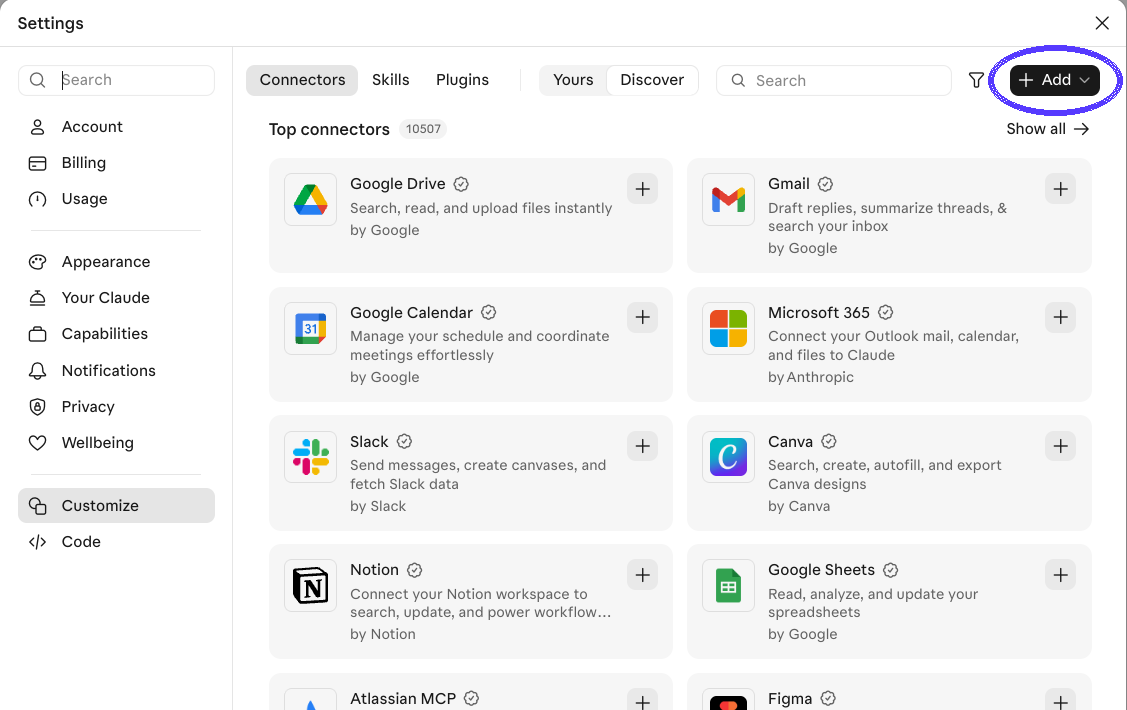
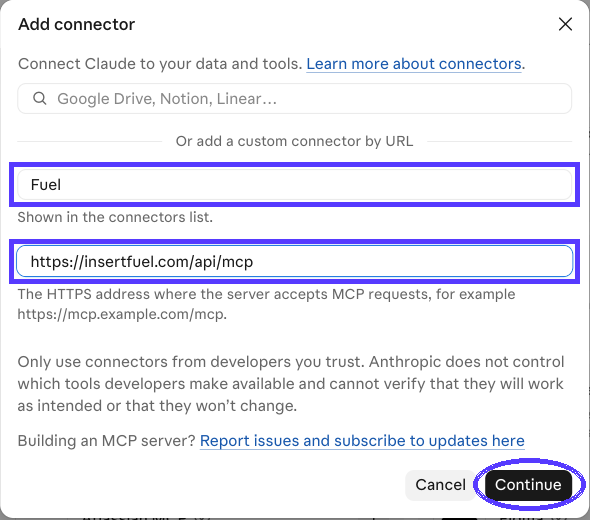
- Claude, step 2Name: Insert Fuel. Paste the address: https://insertfuel.com/claude Click Continue.
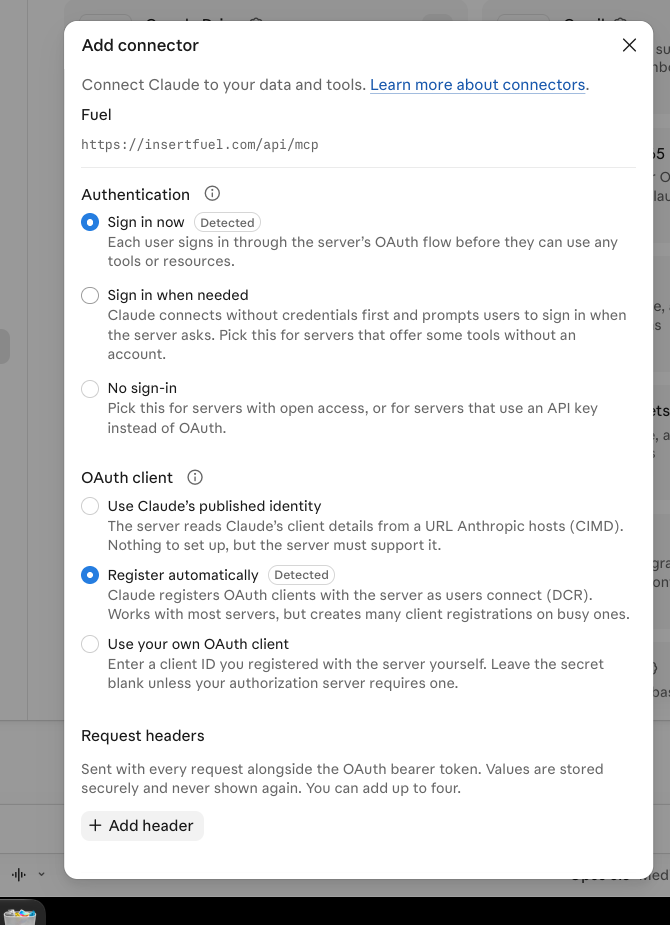
- Claude, step 3Keep Sign in now and Register automatically. Click the button at the bottom.
- Claude, step 4Click Connect.
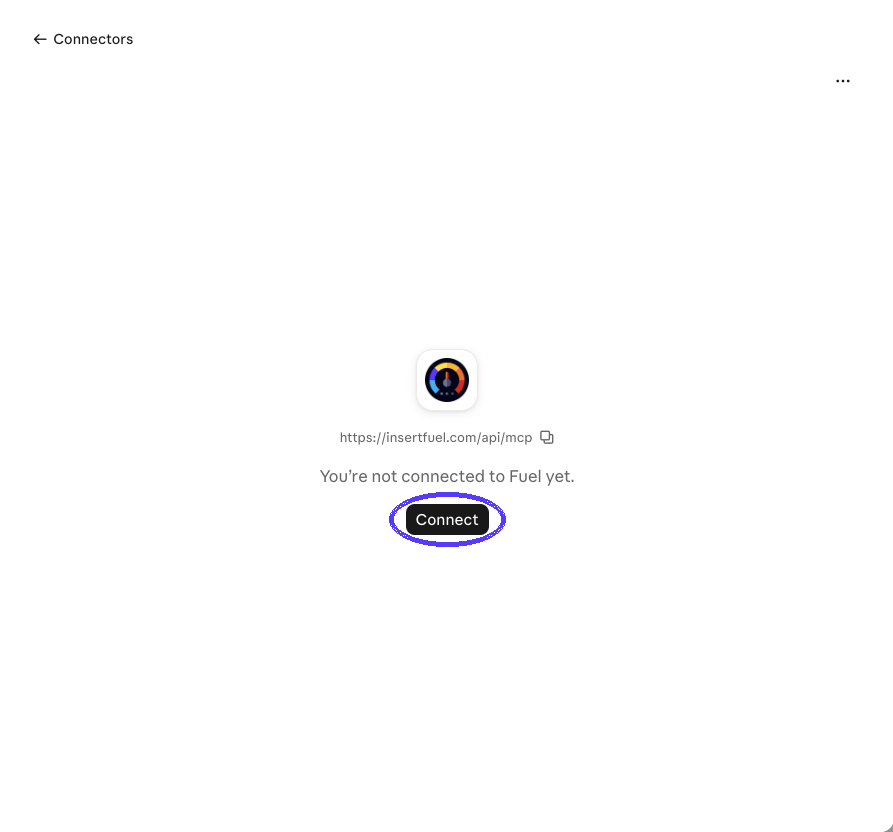
- Claude, step 5Sign in to Fuel, click Allow. Done.
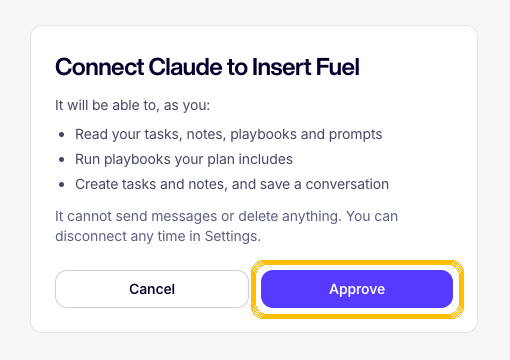
- Claude: test itIn a new chat, ask: What's on my task list today? Name taken? Use Insert Fuel 2.
- ChatGPT: copy your linkWorks on ChatGPT Plus and above. Copy https://insertfuel.com/chatgpt. Already see Fuel or Insert Fuel in your list? Remove the old one, then add this one. Open the ChatGPT guide
- ChatGPT, step 1In ChatGPT, click your name (bottom left), then Settings, then Plugins.
- ChatGPT, step 2Click Browse directory, then Add (top right), then Add custom MCP server.
- ChatGPT, step 3Name: Insert Fuel. Skip the description. Paste the address: https://insertfuel.com/chatgpt
- ChatGPT, step 4Tick the box, then click Create as a plugin.
- ChatGPT, step 5Click Connect, sign in to Fuel, click Allow. Done.
- ChatGPT: test itOpen a new chat, tap +, turn on Insert Fuel, then ask: What's on my task list today? Name taken? Use Insert Fuel 2.
Part of Fuel, a whole life OS for your work and your day. Read the overview.
Related articles
- Meet Fuela, your assistantWhat Fuela does and how to ask.
- Your Fuel start guideThree screens you use every day: chat, your leads and your tasks. One page.
- Getting started in FuelSign in, get the real app, find your chats, meet Fuela and connect your socials. About five minutes.
- Ask Fuela for anythingType or talk. Fuela makes the task, writes the message and finds the answer.
Not what you needed? Ask Fuela any hour, or search the library.